Skip to content
4.8·2M+ happy creators

Turn any idea into a video

Videx is the AI video generator for iPhone and iPad. Describe a scene or add a photo, pick a style, and tap Generate — a finished, shareable clip is ready in minutes. No camera, crew, or editing skills required.

Free to download · No account or login required · iPhone & iPad

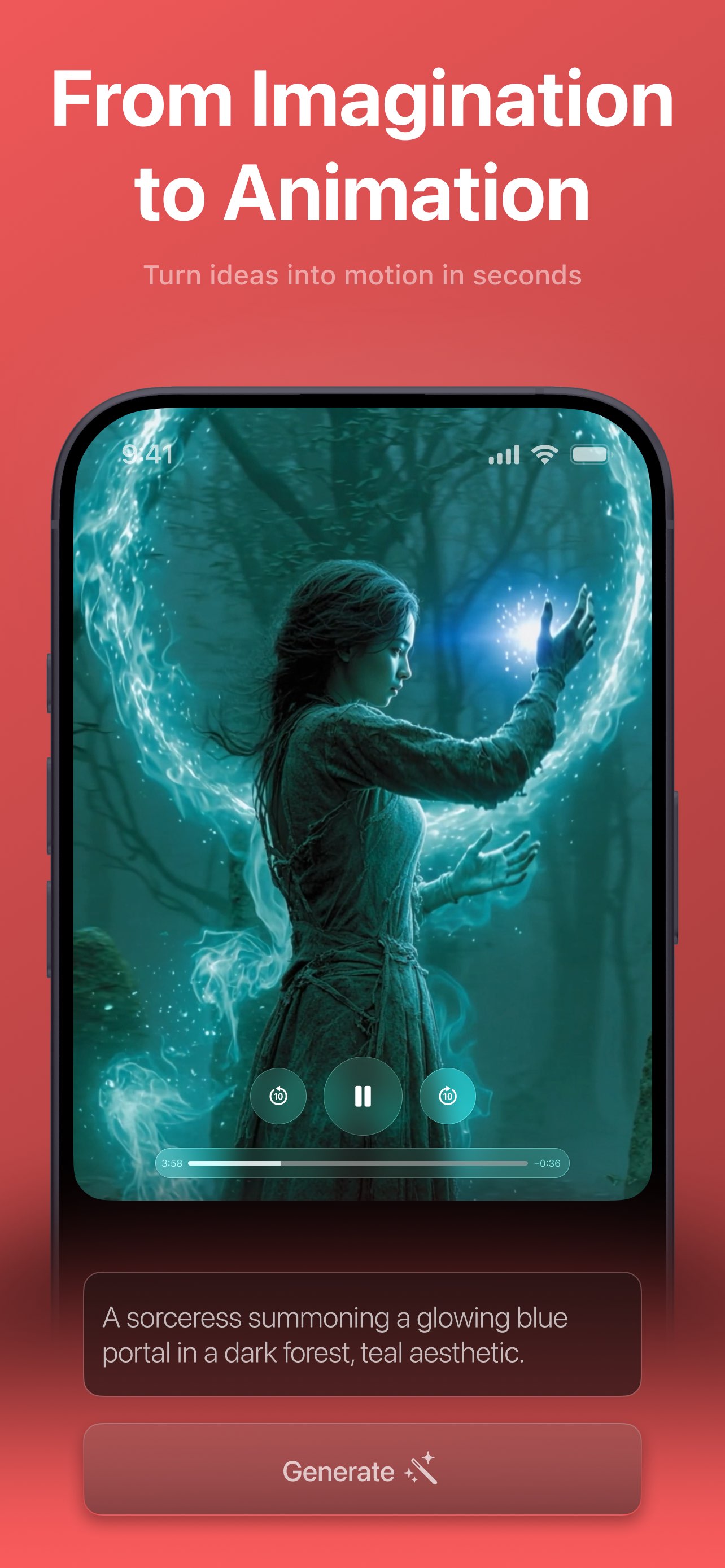
A sorceress summoning a glowing portal in a dark forest, teal aesthetic
App Store rating
4.8
Happy users
2M+
One-tap video styles
10
Cameras or crew needed
0
Made with Videx

Real videos from a single sentence

Every clip below was generated from the prompt beneath it — no cameras, actors, or editing. Tap the App Store to make your own.

  • Fantasy

    A sorceress summoning a glowing portal in a dark forest, teal aesthetic

  • Cinematic

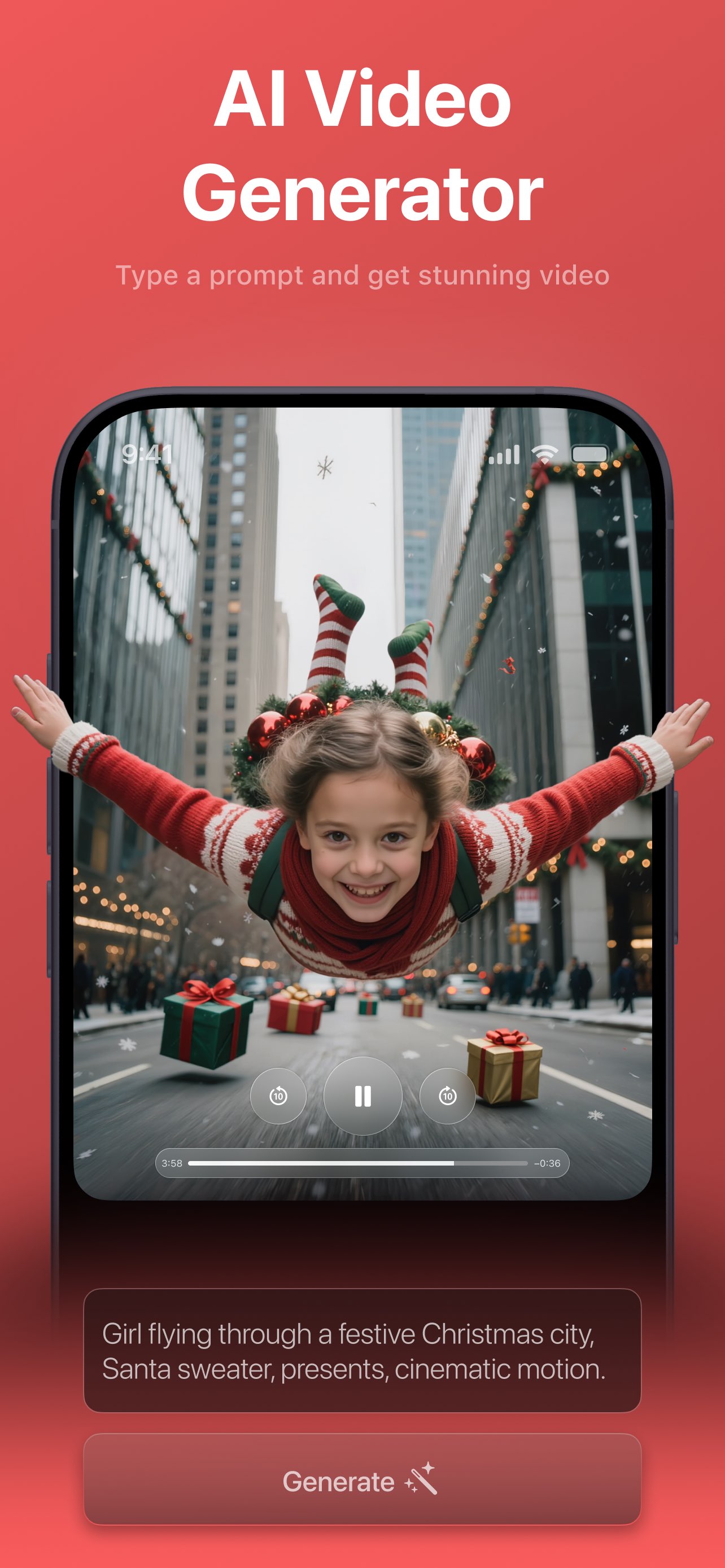
    Girl flying through a festive Christmas city, Santa sweater, presents, cinematic motion

  • Realism

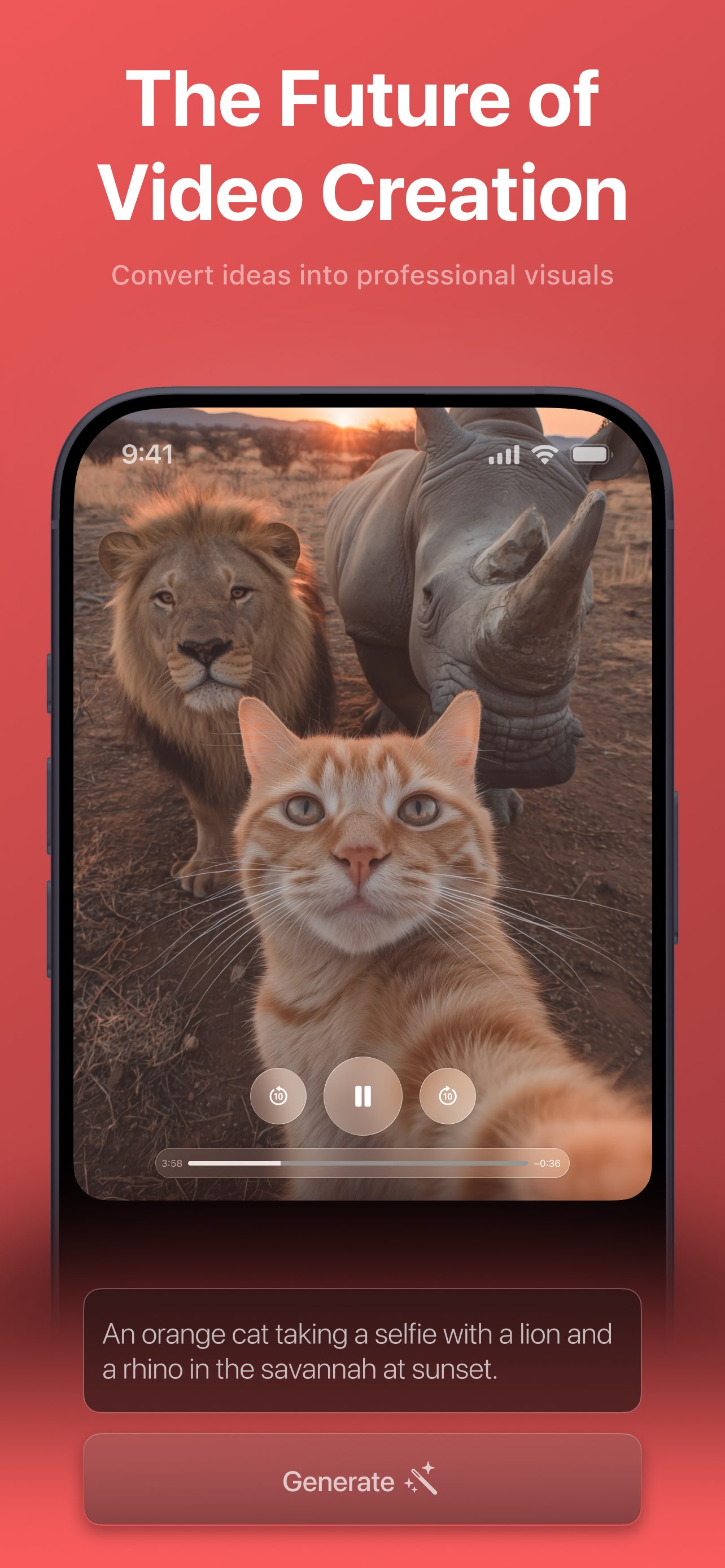
    An orange cat taking a selfie with a lion and a rhino in the savannah at sunset

  • Realism

    A stylish cat in a red robe and sunglasses takes a selfie in front of the Colosseum

Everything in one app

A whole production studio in your pocket

Videx collapses the entire video pipeline — idea, footage, style, and export — into a single prompt-and-tap experience built for people who just want great results.

Text to Video

Describe it, and watch it become video

Type a sentence — “a fox running through a neon city” — pick a style, and tap Generate. Videx's cloud engine renders a brand-new, looping clip while a live queue keeps you posted the whole way.

  • Free-form prompt plus one-tap style recipes
  • A style is pre-selected, so you can generate right away
  • Honest queue position and time estimates while you wait
  • It keeps rendering in the background while you browse
About the AI video generator
Photo to Video

Bring your own photo to life

Attach one or more reference photos and Videx animates them into motion. Combine a photo with a written prompt to ground the result in your own subject and take full control of the look.

  • Turn a still photo into a moving, stylized clip
  • Reference images are auto-scaled to Full HD
  • Mix a photo and a prompt for more control
  • Great for pets, portraits, products, and places
About photo to video
Videx playing a generated video of an orange cat taking a selfie with a lion and a rhino in the savannah at sunset
Video Styles

Ten looks, one tap each

From photorealistic Realism to cel-shaded Anime, cinematic drama, neon Cyberpunk, and retro Pixel Art — each style is a curated recipe that reshapes the same idea into a completely different video.

  • Ten one-tap styles do the prompt engineering for you
  • Keep a series of clips looking consistent
  • Swap styles to explore very different moods
  • No lighting, film-stock, or texture jargon required
Explore video styles
Video styles

Ten styles that reshape every clip

Tap one and the same idea takes on a whole new feel — no prompt-writing skill needed.

  • Realism

    Photorealistic footage, natural lighting, ultra-HD detail.

  • Fantasy

    Glowing magic, mythical creatures, ethereal atmosphere.

  • Anime

    Cel-shaded animation, bold colors, expressive motion.

  • Cinematic

    Dramatic lighting, deep contrast, film-grain mood.

  • Steampunk

    Brass gears, Victorian machinery, ornate detail.

  • Cyberpunk

    Neon light, high-tech, retro-futuristic cityscapes.

  • Vintage

    Grainy film, faded tones, a nostalgic retro look.

  • Paint

    Textured brushstrokes, hand-painted, warm tones.

  • Illustration

    Bold outlines, vibrant color, comic-book energy.

  • Pixel Art

    8-bit blocks, limited palette, retro-game feel.

How it works

From idea to shareable video in four taps

The same simple loop powers every video you make in Videx.

  1. 01

    Describe or upload

    Type what you want to see, attach a reference photo, or do both. The prompt is optional — a style alone is enough to start.

  2. 02

    Pick a style

    Choose from ten one-tap looks in a scrolling gallery. One is already selected, so you can generate with zero setup.

  3. 03

    Tap Generate

    Videx sends your idea to the cloud and shows a live queue — “In queue, N ahead” and an estimate — then a processing state.

  4. 04

    Save or share

    The finished video opens on a loop. Save it to Photos or open the share sheet to post it anywhere in a tap.

See it in the app

A polished, cinematic dark interface

The Generate tab makes your first creation effortless, a transparent queue keeps you informed, and the Result screen delivers an instant, shareable payoff.

Videx AI Video Generator screen playing a generated clip of a girl in a Santa sweater flying through a festive Christmas city, with the prompt and a Generate button below
Type a prompt and get a stunning video
Videx playing a generated video of an orange cat taking a selfie with a lion and a rhino in the savannah at sunset
Convert any idea into professional visuals
Videx playing a generated Fantasy-style video of a sorceress summoning a glowing blue portal in a dark forest
Turn imagination into animation in seconds
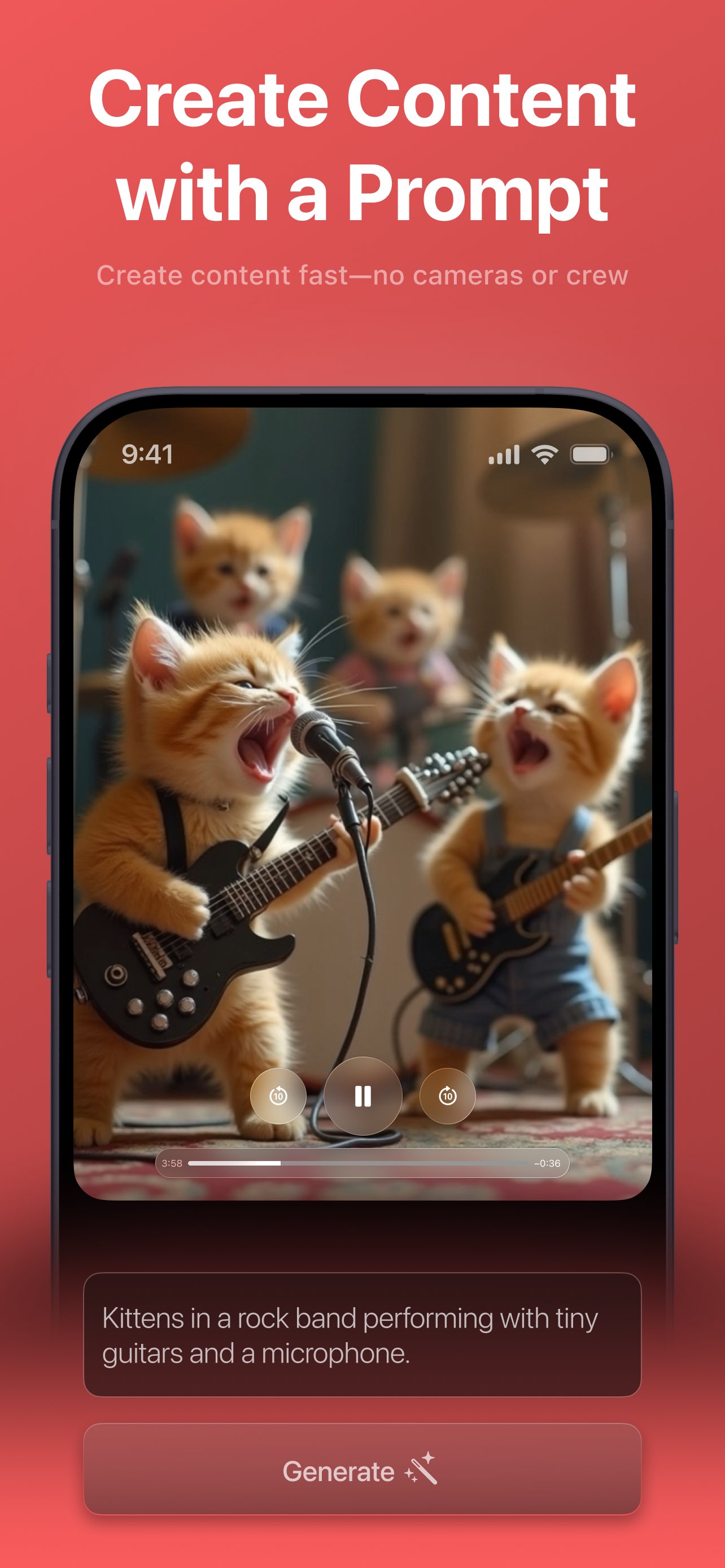
Videx playing a generated video of kittens in a rock band performing with tiny guitars and a microphone
Create content fast — no cameras or crew
Use cases

What people create with Videx

Whether you're posting content, making people laugh, or bringing an idea to life, Videx meets you where your imagination is.

Creators & social posters

Scroll-stopping social video

The problem — TikTok, Reels, and Stories demand a constant stream of fresh video, but filming and editing every clip takes hours you don't have.

With Videx — Type an idea, pick a style, and generate a unique stylized clip in minutes, then share it straight to any app from the native share sheet.

Type “neon skyline reflected in a rainy street, cinematic” and post the loop to your Story before lunch.

Explore AI Video Generator
Meme & novelty makers

Meme & novelty clips

The problem — The funniest ideas are impossible to film — a cat in a rock band, a dancing avocado — so they never leave your head.

With Videx — Describe the joke and let Videx render it in a playful style like Anime, Illustration, or Pixel Art. Weird, funny, and instantly shareable.

“Kittens in a rock band with tiny guitars” becomes a clip your group chat can't stop resending.

Explore Video Styles
People who can't film it

An idea, but no camera or crew

The problem — You can picture the shot perfectly, but you don't have the camera, actors, location, or editing software to make it real.

With Videx — Describe the scene in plain words and Videx produces the video for you — “no cameras or crew”, just a sentence and a tap.

“A lone astronaut walking across a red desert planet at dusk” — filmed by nobody, ready in minutes.

Explore AI Video Generator
Why Videx

Built to remove every barrier to video

No skills required

No filming, editing, or prompt-engineering knowledge needed. A style is pre-selected and the prompt is optional, so you can generate almost immediately.

Text, photo, or both

Generate from a written idea, animate one of your own photos, or combine the two for more control over the final look.

Styles do the hard work

Ten one-tap style recipes deliver polished, consistent aesthetics — from Cinematic to Anime to Cyberpunk — without any prompt-writing skill.

Honest, live progress

A transparent queue shows your position and an estimated wait, then a clear “processing” state, so the server-side wait never feels broken.

Keeps working in the background

Generation runs in the cloud. Leave the tab, browse your history, and your video keeps rendering — the app stays in sync.

Instant to save & share

Finished clips auto-loop and are one tap from your Photos library or the native iOS share sheet — ready to post anywhere.

Videx is for you if you've ever thought…

  • “I have an idea for a video but no camera or crew.”
  • “I want scroll-stopping clips, but filming and editing take forever.”
  • “I can't afford actors, footage, or editing software.”
  • “I don't know how to write good AI prompts.”
  • “I just want a finished video on my phone, ready to post.”
Loved by creators

Join 2M+ people already creating

Videx holds a 4.8-star rating in the App Store. Here's what a few creators say.

I typed one sentence and had a clip for my Story a couple of minutes later. No camera, no editing, no crew.
Maya R.Content creator
The styles are unreal. The same idea in Cinematic and in Anime looks like two completely different productions.
Daniel K.Hobbyist creator
I made a goofy talking-cat video that my group chat would not stop resending. Way too easy.
Priya S.Casual poster
The AI Journey family

More AI creativity beyond Videx

Videx is part of a broader suite of AI creativity apps, surfaced right inside the app. Explore the companions built by the same team.

FAQ

Frequently asked questions

Everything you need to know to get started. See the full FAQ.

What is Videx?
Videx is an iOS app that turns a written idea and/or a reference photo into a short, stylized AI-generated video in a few minutes. You describe a scene or attach a photo, pick a visual style, tap Generate, and Videx's cloud service returns a finished, looping video you can save or share — no camera, crew, or editing skills required.
Do I need any filming, editing, or prompt-writing skills?
No. Videx is built for people with no production background. A style is pre-selected the moment you open the app and the prompt is optional, so you can generate a video with essentially zero setup. Ten curated styles handle the aesthetic so you never have to learn “prompt engineering”.
Is Videx free?
Yes — Videx is free to download and start creating. Free videos include a small Videx watermark and generation runs through an offer to subscribe or watch a short rewarded ad. Videx PRO unlocks unlimited, ad-free, watermark-free generation with priority processing.
Which devices does Videx support?
Videx runs on iPhone and iPad, with a dark-themed interface that adapts cleanly from a phone in your hand to a larger iPad screen.
Do I need to create an account?
No. Videx has no logins or accounts. A private, device-scoped identity is created for you, so you can start generating immediately. Your history and PRO status are stored on your device.

Create your first video today

Download Videx free and turn your imagination into a shareable clip in minutes.

Rated 4.8 by 2M+ happy users